Color
Description
The color property can simply be understood as three pairs of 2-digit hexadecimal numbers.
A fourth pair can be added for the so called alpha value which represents the opacity of the color.
This type of property is mostly used for setting colors of elements, like background colors or font colors - alternatively, the color property can also be set to transparent.
| Feature | Value |
|---|---|
| Theme injectable | ✓ |
| Possible Inputs | #000000 - #FFFFFF or #00000000 - #FFFFFFFF or transparent |
Color ingredients
hex8
This is the actual value of the color you choose, in hex format. This means for example, the color white could look like this: #FFFFFF or like this #FFFFFFFF.
For further information about how to use hex strings, visit https://css-tricks.com/8-digit-hex-codes/.
Occurrences
Toolbar
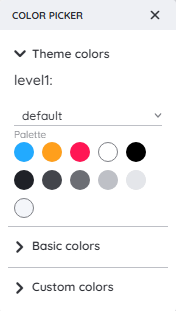
The color property in the Toolbar can be selected with the Toolbar Extension Color Picker. only predefined colors and theme colors can be chosen here.
Detail Panel
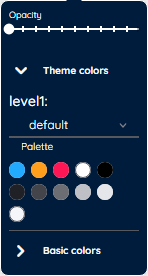
The color property inside the Detail Panel will be selected via the Detail Panel Color Picker.
You will either choose from predefined colors, theme colors or customizable values.